


VChart 如何设置 Tooltip 的展示条数,数据过多时支持滚动、分页、合并展示等效果?
问题描述
类似 (https://visactor.io/vchart/demo/tooltip/format-method?keyword=tooltip)这样的图表,希望tooltip能多行显示
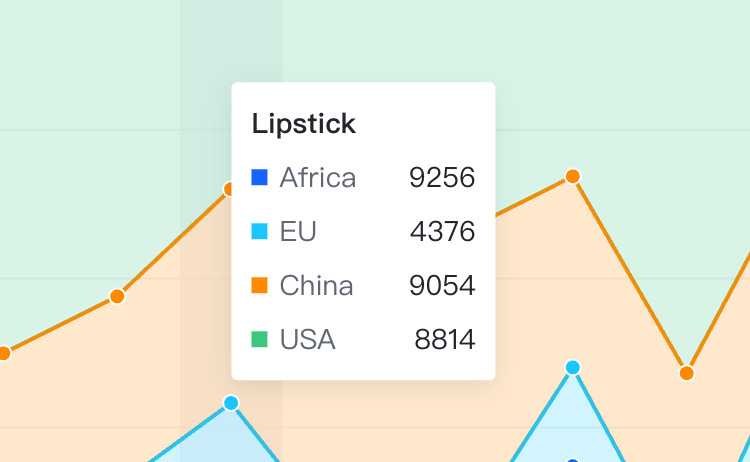
解决方案
不同图表库的解决方案不一样,根据你给的 demo,在 VChart 中可以直接修改 HTML tooltip 的样式来实现
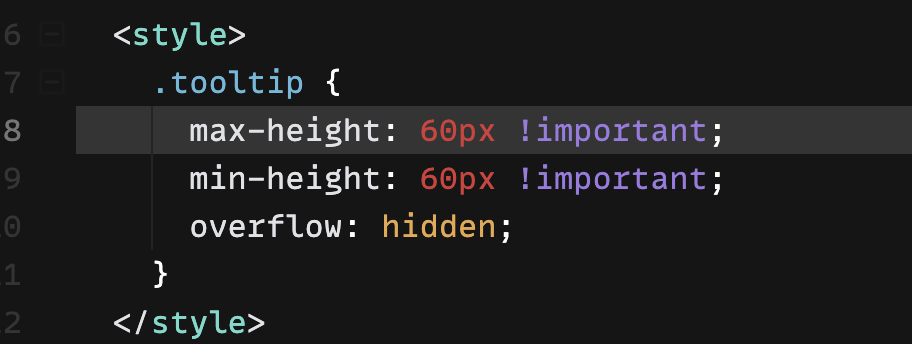
代码示例
{
  type: "area",
  data: {
    values: [
      { type: "Nail polish", country: "Africa", value: 4229 },
      { type: "Nail polish", country: "EU", value: 4376 },
      { type: "Nail polish", country: "China", value: 3054 },
      { type: "Nail polish", country: "USA", value: 12814 },
      { type: "Eyebrow pencil", country: "Africa", value: 3932 },
      { type: "Eyebrow pencil", country: "EU", value: 3987 },
      { type: "Eyebrow pencil", country: "China", value: 5067 },
      { type: "Eyebrow pencil", country: "USA", value: 13012 },
      { type: "Rouge", country: "Africa", value: 5221 },
      { type: "Rouge", country: "EU", value: 3574 },
      { type: "Rouge", country: "China", value: 7004 },
      { type: "Rouge", country: "USA", value: 11624 },
      { type: "Lipstick", country: "Africa", value: 9256 },
      { type: "Lipstick", country: "EU", value: 4376 },
      { type: "Lipstick", country: "China", value: 9054 },
      { type: "Lipstick", country: "USA", value: 8814 },
      { type: "Eyeshadows", country: "Africa", value: 3308 },
      { type: "Eyeshadows", country: "EU", value: 4572 },
      { type: "Eyeshadows", country: "China", value: 12043 },
      { type: "Eyeshadows", country: "USA", value: 12998 },
      { type: "Eyeliner", country: "Africa", value: 5432 },
      { type: "Eyeliner", country: "EU", value: 3417 },
      { type: "Eyeliner", country: "China", value: 15067 },
      { type: "Eyeliner", country: "USA", value: 12321 },
      { type: "Foundation", country: "Africa", value: 13701 },
      { type: "Foundation", country: "EU", value: 5231 },
      { type: "Foundation", country: "China", value: 10119 },
      { type: "Foundation", country: "USA", value: 10342 },
      { type: "Lip gloss", country: "Africa", value: 4008 },
      { type: "Lip gloss", country: "EU", value: 4572 },
      { type: "Lip gloss", country: "China", value: 12043 },
      { type: "Lip gloss", country: "USA", value: 22998 },
      { type: "Mascara", country: "Africa", value: 18712 },
      { type: "Mascara", country: "EU", value: 6134 },
      { type: "Mascara", country: "China", value: 10419 },
      { type: "Mascara", country: "USA", value: 11261 }
    ]
  },
  tooltip: {
    className: "tooltip"
  },
  title: {
    visible: true,
    text: "100% stacked area chart of cosmetic products sales"
  },
  percent: true,
  xField: "type",
  yField: "value",
  seriesField: "country",
  legends: [{ visible: true, position: "middle", orient: "bottom" }],
  axes: [
    {
      orient: "left",
      label: {
        formatMethod(val) {
          return `${(val * 100).toFixed(2)}%`;
        }
      }
    }
  ]
}
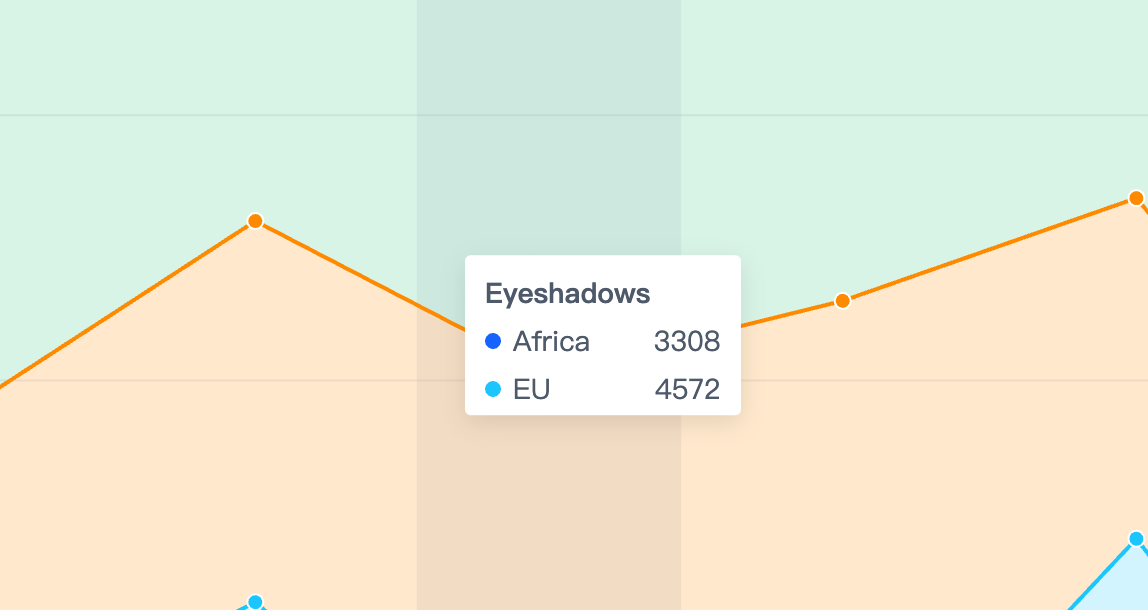
结果展示
在线效果参考:https://codesandbox.io/s/tooltip-multirow-n3y7d3
相关文档
Tooltip 教程:https://visactor.io/vchart/guide/tutorial_docs/Chart_Concepts/Tooltip 相关 api:https://visactor.io/vchart/option/barChart#tooltip.visible github:https://github.com/VisActor/VChart